

Can Smart Shades Make Your Home Look Occupied While You're Away? A Guide to Vacation Security Routines

Can Smart Shades Make Your Home Look Occupied While You're Away?
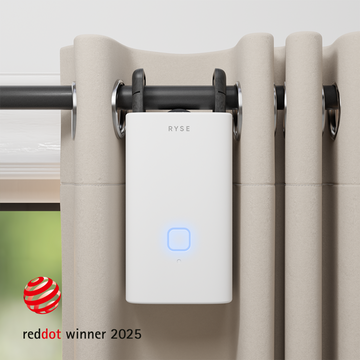
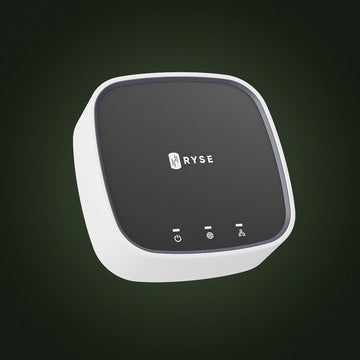
Yes. One of the simplest ways to make an empty house look lived in while you are traveling is to keep your window shades moving on a schedule, the same way they would if someone were home opening and closing them by hand. With a RYSE SmartBridge and the Routines feature already built into the RYSE app, you can set your SmartShade or SmartCurtain to open and close on a schedule automatically, with nobody home to lift a finger.
Why This Matters for Home Security
Shades and curtains that never move are one of the most obvious signs that a house is empty, and they are exactly the kind of pattern a passerby tends to notice over a few days. A vacation routine does not replace an alarm system or a good set of locks, but it closes an easy gap: it keeps your windows behaving the way they would on any normal day, at almost no cost and no ongoing effort once it is set up.
Setting Up a Vacation Routine in the RYSE App
Routine creation requires a SmartBridge, since it is the SmartBridge that lets your shades run schedules even when your phone is off your home WiFi. From the Routines tab, you create a new routine, name it (for example, Away Mode), pick which windows to include, and set a time and the days of the week you want it to repeat. You then use the position slider to choose exactly how far each shade should move, fully open, fully closed, or anywhere in between, so you can mimic a normal daily pattern rather than a single static position.
Vacation Routine Ideas
| Routine | Suggested Time | What It Signals |
|---|---|---|
| Morning open | 7:00 to 8:00 AM | Someone is up and starting the day |
| Midday partial close | 1:00 PM | Normal daytime light and privacy habits |
| Evening close | 8:00 to 9:00 PM | Someone is home for the evening |
Stagger the times slightly across different rooms rather than moving every shade in the house at once, since a house where every window opens and closes in perfect unison reads as automated rather than lived in.
Turning It Off When You're Back
You do not need to delete the routine the moment you get home. RYSE lets you toggle a routine off without losing it, so you can simply disable your vacation routine when you return and switch it back on the next time you travel, with no need to rebuild it from scratch. If anyone else shares access to your SmartBridge, they will see the same routine automatically, which is worth knowing if a neighbor or house sitter is checking in while you are away.
Key Benefits
- Runs on a schedule with no phone, app, or person present required
- Works alongside your existing alarm system and smart locks rather than replacing them
- Turns off and on with a single toggle, so it is ready every time you travel
- Uses the shades and curtains you already own, with no new hardware to buy
Why RYSE Is a Top Choice
A vacation routine is only useful if it is easy enough to actually set up before you leave for the airport. Because RYSE Routines live in the same app you already use to control your shades day to day, building an away schedule takes the same few taps as any other routine, and it keeps running on the SmartBridge whether or not your phone comes with you. It is a small habit that makes an empty home look a little less empty.
Share with your community!
In this article
Sign up for our newsletter
Latest from experts

Can Smart Shades Make Your Home Look Occupied While You're Away? A Guide to Vacation Security Routines

Can Smart Shades Help With Light Pollution? How to Keep Streetlights Out of Your Bedroom
